Automation without bank access
Upload screenshots or PDFs — no Plaid, no passwords. AI extracts and categorizes in seconds.
Most alternatives automate by asking for your bank login. Nixus automates the part that was actually tedious instead.
Nixus is in alpha — the product is still maturing and your feedback shapes what comes next. Learn more about the Nixus alpha beta
Local-first · No bank passwords
Nixus automates the upkeep: upload a credit card statement, get categorized expenses, see your next move. Budget, TFSA, RRSP, net worth — on your machine, without Plaid.
Download started
When macOS shows "unidentified developer," open System Settings → Privacy & Security and click Open Anyway. Normal for apps outside the Mac App Store.
Need help? nixusapp@gmail.com
Your records stay on your machine
Budgets, transactions and balances live in a local database. No copy leaves it unless you turn on sync.
No bank passwords, ever
No Plaid, no screen-scraping. You upload a statement instead.
Open source
The code that handles your finances is public, so none of this has to be taken on faith.
Read the sourcemacOS and Windows
macOS and Windows, in English or French, with automatic updates and backup built in.
Why Nixus
Built for people who already track their own finances and won't hand bank credentials to a cloud service to do it.
Upload screenshots or PDFs — no Plaid, no passwords. AI extracts and categorizes in seconds.
Most alternatives automate by asking for your bank login. Nixus automates the part that was actually tedious instead.
Emergency fund runway, savings capacity, and one clear priority — not just dashboards.
A chart tells you what happened. Nixus tells you what to do about it.
Finance and car maintenance today — same shell, same local data. More modules over time.
One install, one set of data, one place to look — not a separate app per responsibility.
How it works
The whole routine, even if you have never kept a budget.
Screenshot your credit card statement, or save it as a PDF, and drop it into Nixus.
No bank login required.
Nixus reads the statement, pulls out each transaction, and files it into a category — remembering your corrections for next time.
Usually a few seconds.
Scan what came in, fix anything that landed wrong, and your budget, cash flow, and net worth are already current.
Then close it and get on with your day.
The product
Four stages, each a real screen you can open today — not a roadmap promise.
01 Organize
Upload a credit card statement as a screenshot or a PDF. Accounts, investments and the things you own go in once and stay current from there.
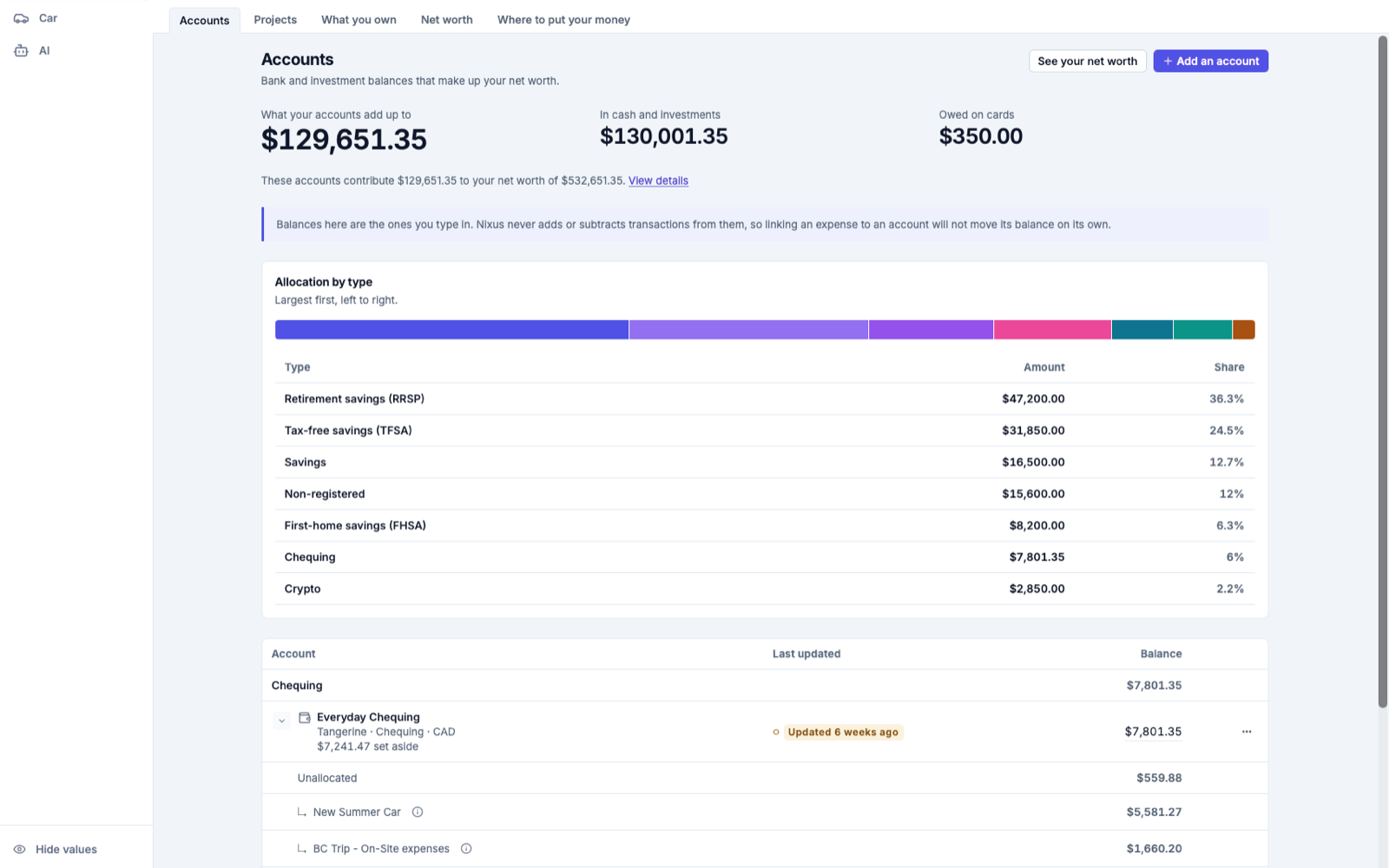
02 Understand
Everything here is calculated from your own records — no estimates, and no AI guessing at your balance.
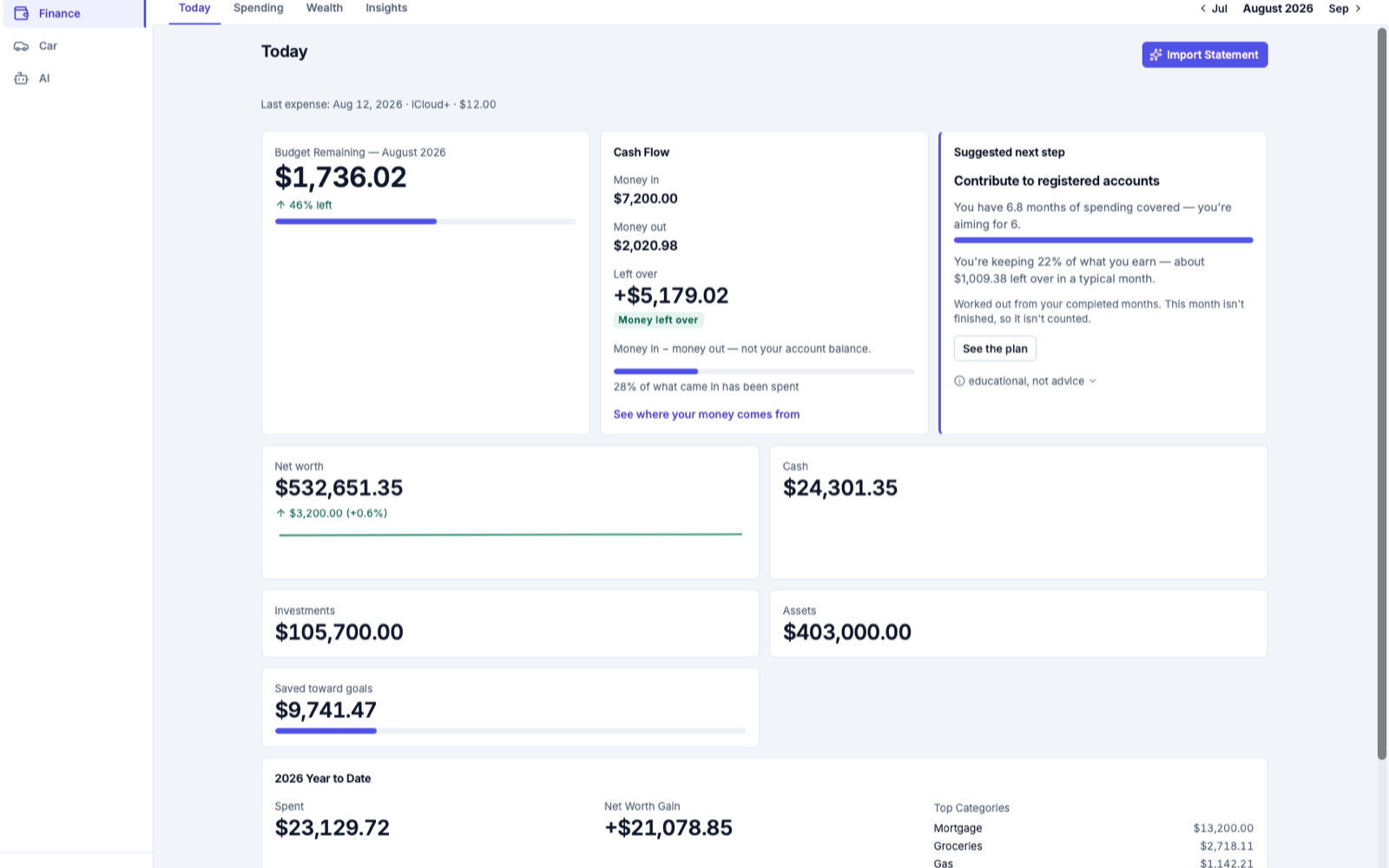
03 Guide
Ask what you would ask a friend who happened to know all your numbers. Nixus answers from your actual data and shows you how it got there.
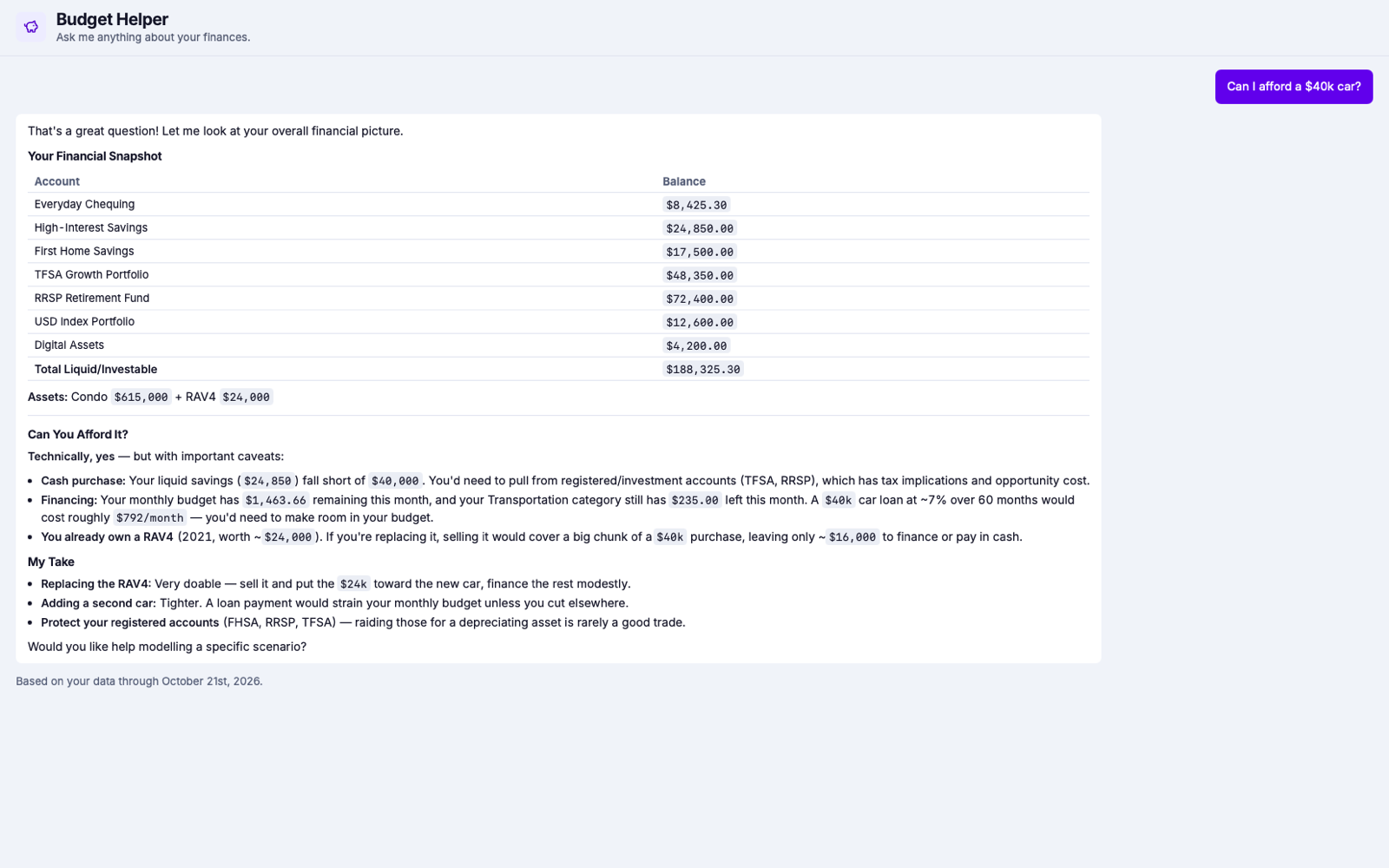
04 Automate
The work that killed your spreadsheet is the work Nixus is built to absorb.
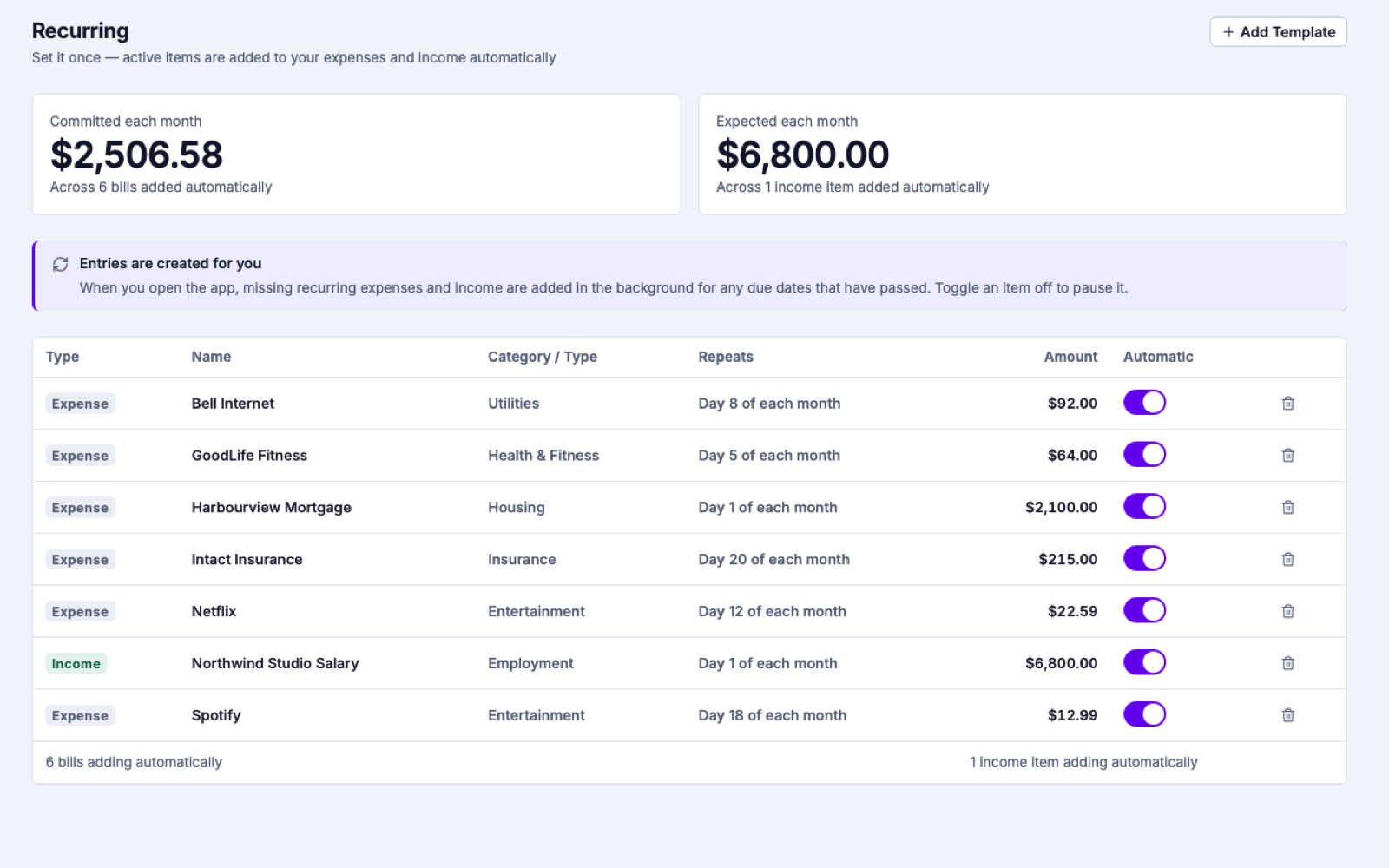
See it work
Everything else
Everything a spreadsheet does, and the parts it never could.
CC screenshots or PDFs → categorized expenses. No bank sync required.
Runway, savings rate, and one priority action — rule-based, not guesswork.
Monthly budgets with category groups. See where you stand at a glance.
Chequing, credit cards, TFSA, RRSP, USD — one view built for Canada.
Track cash, housing, crypto, and investments over time — by category.
Ask in plain language. Proposed changes wait for your confirmation.
Maintenance schedules, service history, and due dates for every vehicle.
SQLite on your machine. Open source. Nothing leaves it unless you ask — AI, or sync you turn on.
Your data
Your financial records are on your computer, not ours. Two things can leave it, and both are off until you turn them on.
When you run an import or ask the AI a question, that one request's content is sent for processing — straight to your own provider using your credentials, or through Nixus to AWS Bedrock on a premium account. There's no background transmission, and the rest of the app works without it.
If you want the same records on a second computer, a copy is stored in Nixus-operated storage on AWS. It's encrypted in transit and at rest, but not end-to-end encrypted in this version — so a Nixus administrator could technically read it. Leave sync off and no copy leaves your machine.
Honestly
You are about to install an alpha app and point it at your finances. Decide before you spend the time.
Alpha
A small group of early users gets access while Nixus is still taking shape — and a direct line to what gets built next.
It's an especially good match if you keep any of this in Excel or Google Sheets today:
In return I ask for candid feedback — the friction and the doubts, not just the compliments.
Download Nixus, upload one statement, and see what your finances look like when the upkeep isn't yours.
No account needed to use it.